Your document template.
A prepared draft to review.
Dictate your instructions, choose a document template and add relevant supporting material. Legal AI organizes that information into a draft for your team to check, complete and approve.
Turn spoken instructions into a structured first draft.
You provide the facts and instructions. A selected template supplies the structure. Legal AI prepares a draft for your team to check and finish.
1. Attorney dictates instructions
write a client advice letter to john doe you are considering a proposed commercial lease and responsibility for repairs is unclear please email me the draft lease and landlord correspondence by friday my advice is not to sign until we clarify who pays for repairs i will review the documents before we discuss revisions
2. A template supplies structure
Client advice letter · Custom concept
- Background
- Advice
- Next steps
Client advice letter · Draft for review
Dear John Doe,
Background
You are considering a proposed commercial lease, and responsibility for repairs is unclear.
Advice
My advice is not to sign until we clarify who pays for repairs.
Next steps
Please email me the draft lease and landlord correspondence by Friday. I will review the documents before we discuss revisions.
4. Your team checks and finishes. Check sources, correct details and apply your firm’s format.
5. The attorney reviews and approves. The advice and professional judgment come from the attorney.
Fictional, manually prepared illustration—not a product screenshot. The client-advice-letter structure is a custom template concept, not a verified supplied template. AI output requires qualified legal review.
Use an available system template or a custom template reviewed for your firm. The example shows a custom concept; it is not a promise that this exact template is supplied.
For repeatable legal-document work.
Attorneys, legal staff and in-house teams preparing client-call notes, case summaries, letters or other recurring drafts can evaluate a template-led approach.
Start with the document your firm needs, the source material available and who will review it. Suitability for a particular matter or jurisdiction needs qualification.
All required components included
- Legal AI Assistant: selected-template drafting and revisions.
- Speech Recognition Legal: the included legal-tuned speech engine.
- SpeechLive Enterprise: the included dictation workflow.
For existing subscribers, we confirm access to the new desktop app and migration timing for your account.
Add the relevant sources.
Record or upload supported MP3 or WAV audio, then select the template. Add supporting files after the audio: up to five documents or images, using supported TXT, DOCX, PDF, JPEG, PNG, BMP or HEIF files.
Use these to supply context beyond the recording, then check that the draft reflects the sources.
Can I start with only a PDF or written notes?
Start by recording or uploading audio. Then add the PDF or other supported files as sources and choose a template. The supporting files provide context for your spoken instructions; this workflow starts with your voice.
Revise, then check again.
Use manual editing and AI chat revisions, plus Word, PDF and text export. Review both wording and formatting after each change.
See where your document begins.
Philips’ interface brings your audio, supporting sources and templates into one workspace.
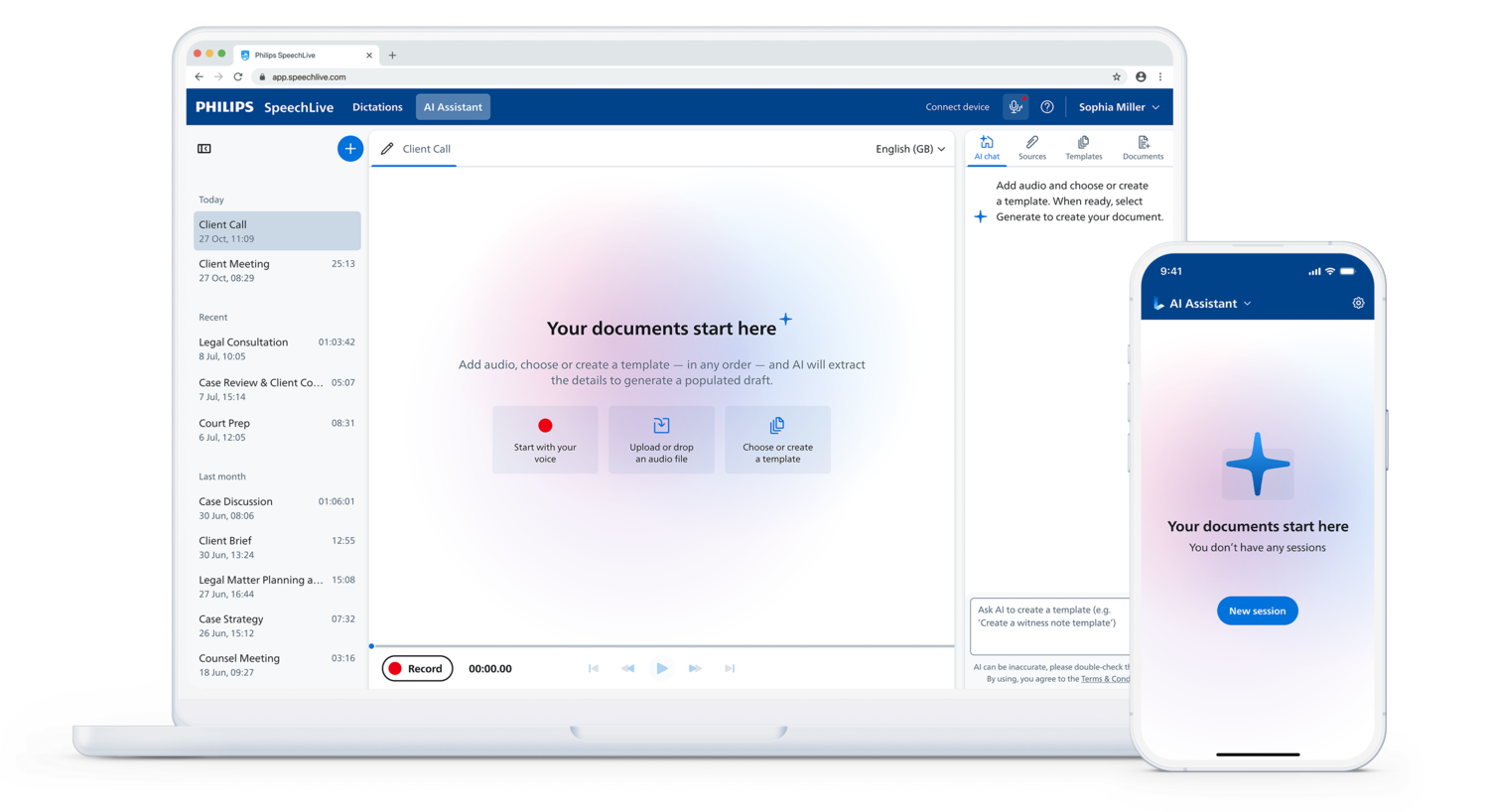
- Start with your voice.
Record or upload audio. Add supporting files when you need more context.
- Choose the structure.
Select a template, or create one for your firm. Generate a draft when the audio and template are ready.
- Check and finish.
Review the draft, make corrections and export it. The attorney keeps final approval.
Human review stays essential. Check facts, names, dates, omissions and commitments against the recording and supporting material. Apply your firm’s formatting and obtain attorney approval. A draft is not legal advice.
Legal AI Assistant
From $54 per user/month equivalent · excluding tax
From $648 billed annually · 2026 introductory offer
From 2027: $76.80/month equivalent, $921.60/year, excluding tax.
Complete bundle price, including Enterprise and legal speech recognition. Offer eligibility and renewal pricing are confirmed in your quote. Hardware and DictaMic services may add cost. Solution prices and conditions →
Discuss the Legal AI Assistant →