Speak directly
into your document.
See your words appear at the cursor as you dictate in a compatible desktop application. Use supported voice commands to edit, format and move through your text. You control the wording and finish the document.
One complete bundle: SpeechLive platform + legal speech recognition + the Direct desktop experience.
Keep your wording.
Use your voice instead of the keyboard.
Legal Direct is built around live dictation, legal terminology and voice control in the rebuilt SpeechLive desktop app.
Speak and see the text
Position your cursor in a compatible application and dictate. Speech recognition tuned for legal language turns your words into text where you are working.
Edit and navigate by voice
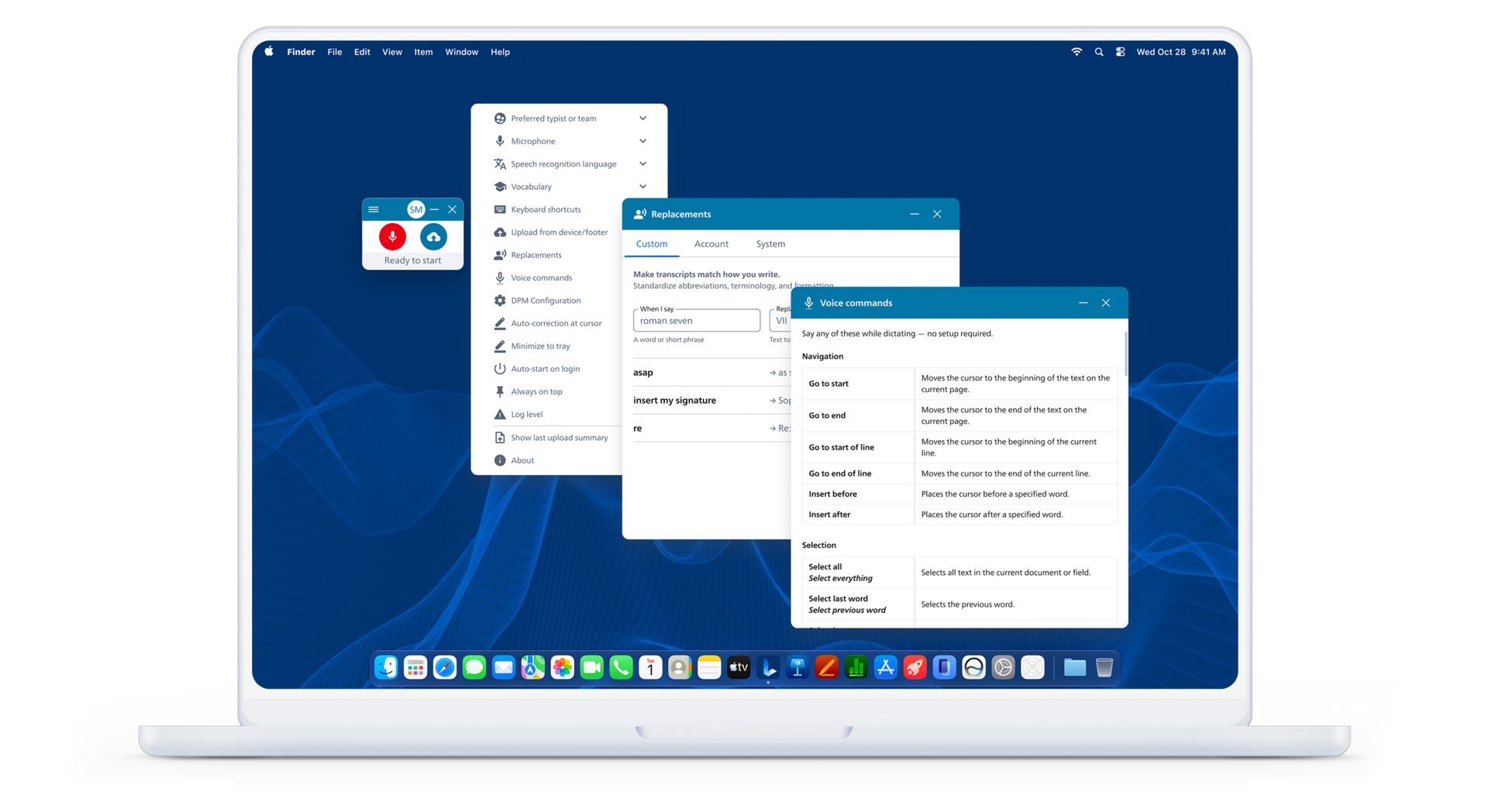
Use supported commands to select, correct and format text or move through a document. Vocabulary and replacements help with terms and phrases you use regularly.
DictaMic checks your applications, microphone, operating system, recognition language and required commands during evaluation.
Your microphone, vocabulary and voice controls in one place.
You speak. The text appears where you work.
Open your document, place the cursor, and dictate the wording you want to write.
You speak into your microphone
“Please send the signed agreement and the emails about the delivery delay.”
You supply the wording while working in your document.
Letter in progress
Dear Jordan,
Please send the signed agreement and the emails about the delivery delay.
Recognized text appears at the cursor as you speak.
Speak → see the text → edit → review. Use supported voice commands to navigate, select, correct and format your text. You check the finished document before use.
Static, fictional illustration of the workflow—not a product screenshot, live microphone or measured recognition result. Commands and application compatibility are checked during your evaluation.
Set up. Speak. Edit. Approve.
- Set up: open the desktop app, connect your supported microphone and select the recognition language.
- Speak: dictate with the cursor in your compatible application.
- Edit: use supported voice commands or the keyboard to correct and format.
- Approve: check names, numbers, meaning and final wording before use.
What the bundle includes
- SpeechLive platform: the included Pro or Enterprise workflow.
- Speech Recognition Legal: the required speech-to-text capability, also used for recorded transcription.
- Direct desktop experience: live dictation at the cursor and supported voice controls.
The complete bundle includes the required recognition. You do not buy recognition a second time to use Direct.
Existing customer? We check your current plan and Direct activation before quoting an upgrade. Additional team members need their own access.
Want your typist to finish the work?
Legal speech recognition also supports recorded transcription. If your main routine is recording now and handing the document to your typist, explore our complete author-and-typist bundle.
See AI-assisted transcription →Want AI to organize the draft?
Legal Direct turns your spoken wording into text. Legal AI Assistant adds drafting with a selected template. Its complete bundle includes Enterprise and legal speech recognition, which the Assistant requires.
See Legal AI Assistant →Your platform and recognition, together.
From $43.80 per user/month · tax extra
SpeechLive workflow + Speech Recognition Legal + Direct desktop experience
DictaMic confirms the Pro or Enterprise configuration, billing, supported applications and recognition usage in your quote. Hardware and services may add cost. Compare complete bundles →
Discuss the Legal Direct bundle →Recognition is subject to fair-use conditions. Legal AI Assistant template drafting is not included in this bundle.
Try SpeechLive with your firm’s workflow—before you buy.
We review how your attorneys dictate and how your staff prepares documents, demonstrate a suitable solution, and configure a trial or pilot around your needs. You evaluate it with our help, then decide whether to purchase.
Understand your workflow → See a demonstration → Try your setup → Decide
Discuss your workflow with DictaMic
Request a guided demo, or email or call us about dictation, speech recognition or document creation. We can discuss a suitable demonstration or evaluation.
Share general business context only. Do not send confidential client or patient information, dictated content, documents, passwords or account secrets.
Request a guided demo
Use our guided demo form to tell us about your workflow. DictaMic will contact you to arrange a conversation; a request does not book an appointment.